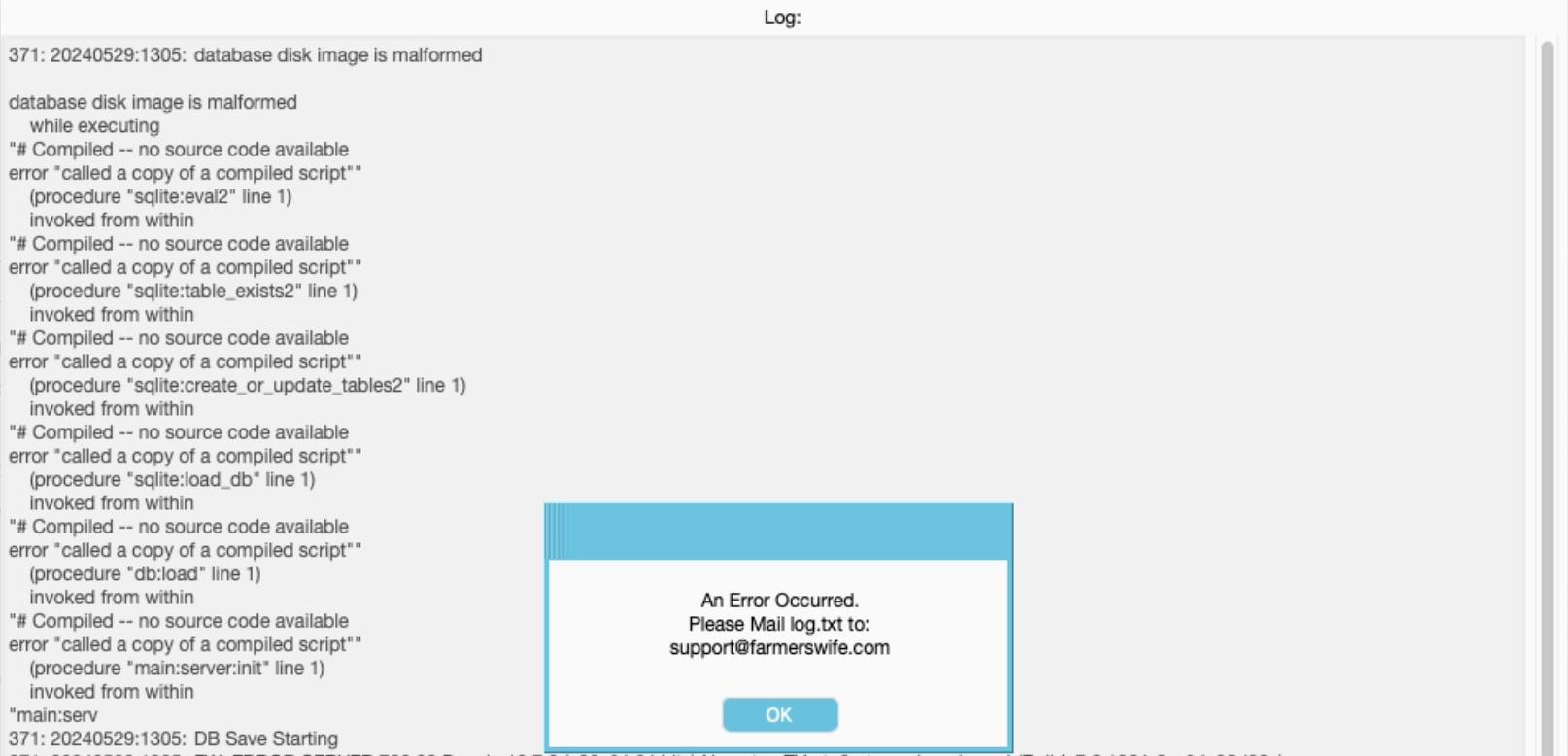
Reason: farmerswife Server fails to start after unexpected shutdown / power outage
The server startup process stops at:
Checking If Histories SQLite Database Is Correct...
This typically indicates that one or more SQLite databases have become corrupted following an unexpected system shutdown or power loss.
The log might show lines like:
20240529:1247: [DEBUG Done connected:check_for_inactivity_loop]
followed by a new initialization sequence:
INIT
385: 20240529:1250: Running: farmerswife Server 7.0 Service Pack 4 (Build: 7.0.1004-0-g64e20d99c)
This suggests the host machine experienced a power interruption around 12:47, which may have corrupted the histories.db3 database.
Solution
Restore from farmerswife Full Backup
Ensure the farmerswife Server application is completely closed.
Locate the latest usable backup copy of:
/Users/fwserver/Documents/FW Files/Full BackupFind the most recent healthy
histories.db3file.Navigate to the farmerswife Server application:
/Applications/farmerswife64 Server 7.0 SP4Right-click the application and select Show Package Contents.
Open the system folder.
Rename the existing file:
histories.db3→corrupt-histories.db3Copy the healthy
histories.db3file from the backup location into the system folder.Launch the farmerswife Server application.
Important Notes
More than one SQLite helper database may have been affected by the power interruption.
Restoring an older
histories.db3file will result in the loss of Booking Actions History between the date of the restored file and the time the system is brought back online.All booking and project data should remain intact; only the history records for that period may be unavailable.
Was this article helpful?
That’s Great!
Thank you for your feedback
Sorry! We couldn't be helpful
Thank you for your feedback
Feedback sent
We appreciate your effort and will try to fix the article